
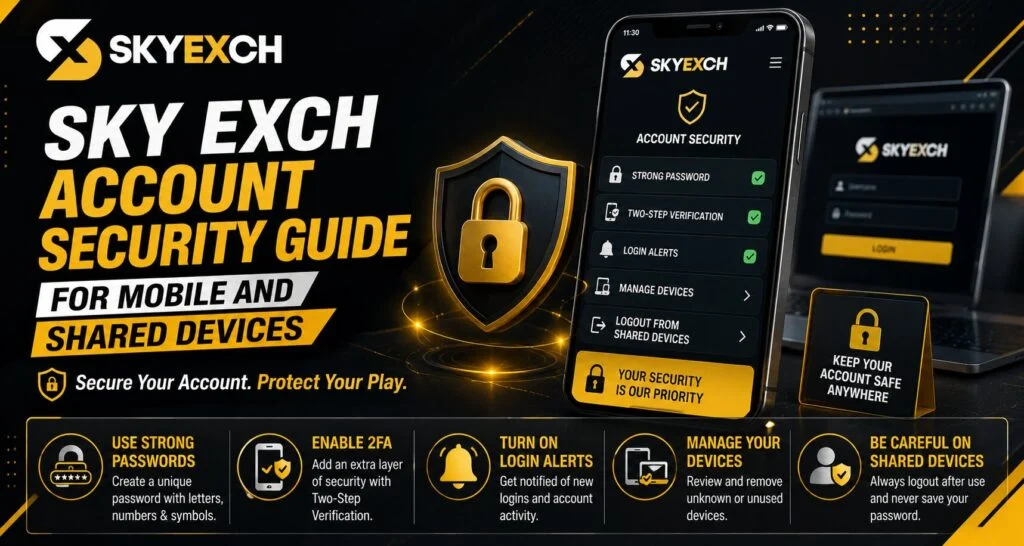
Mobile phones have made online account access more convenient, but convenience also means users need to pay closer attention to security. Saved passwords, shared devices, public Wi-Fi and suspicious links can all create avoidable risks when an account is not managed carefully.
Good Sky Exch account security starts with controlling who can access your device, password and Sky Exch ID.
The following practical steps can help users keep account access more organised and secure.
Start With a Strong Account Password
A password remains one of the main protections between an account and an unauthorised user.
Avoid Predictable Passwords
Do not create passwords using information that another person could easily guess.
Examples include:
- Your first name
- Date of birth
- Phone number
- Username
- Simple sequences such as 123456
- Repeated characters
A password should be difficult for someone else to predict.
Use a Unique Password
Your Sky Exch password should not be identical to passwords used for email, social media or other online services.
A unique password limits the impact if credentials from another service are ever exposed.
Protect the Phone You Use for Login
Account security also depends on device security.
Enable a Screen Lock
Use one of the security methods supported by your phone:
- PIN
- Password
- Fingerprint
- Face recognition
Avoid leaving a phone unlocked when other people can access it.
Keep Your Device Updated
Operating-system and browser updates often contain important security improvements.
Ignoring updates for long periods may leave known vulnerabilities unresolved.
Be Careful With Shared Devices
Using an account on someone else’s phone or on a shared computer requires additional caution.
Avoid Saving Login Details
Browsers frequently ask whether a password should be saved.
Choose not to save credentials when the device does not belong exclusively to you.
Always Log Out
Closing a browser tab is not always the same as logging out.
Use the actual logout option before leaving a shared device.
Clear Sensitive Browser Data
Where appropriate, remove saved login data after finishing a session.
This is especially important on public computers.
Check Links Before Entering Login Information
Phishing is one of the most common ways users can accidentally disclose their account information.
What Is a Phishing Page?
A phishing page attempts to imitate a genuine website in order to collect:
- Usernames
- Passwords
- Verification codes
- Personal details
The page may look convincing even though the web address is different.
Check the Website Address
Before entering your Sky Exch login details, look carefully at the domain shown in the browser.
Do not assume a page is genuine simply because it uses a familiar logo or colour scheme.
Avoid Public Wi-Fi for Sensitive Account Access
Free Wi-Fi can be convenient but is not always the best environment for account-related activities.
Prefer a Trusted Connection
When possible, use:
- Your personal mobile data
- Home Wi-Fi protected with a password
- Another trusted private network
Avoid entering sensitive account information on unfamiliar public networks.
Keep Verification Codes Private
Verification codes are designed to confirm that the person requesting access controls the associated phone or account.
Never Forward a Code to a Stranger
Be cautious if anyone contacts you and asks for:
- OTP
- Login code
- Recovery code
- Password
- PIN
Even if the message claims to come from support, sensitive credentials should be treated carefully.
Recognise Support Impersonation
Scammers may pretend to be customer-support representatives.
Warning Signs to Watch For
Be cautious when someone:
- Contacts you unexpectedly
- Demands your password
- Asks for an OTP
- Sends an unfamiliar login link
- Creates unnecessary urgency
- Requests remote access to your phone
Use recognised contact information rather than trusting a number simply because the person claims to represent Sky Exch.
Review Account Activity Regularly
Users should periodically check whether account information looks normal.
Look for Unexpected Changes
Pay attention to:
- Unfamiliar login activity
- Changed contact information
- Settings you did not modify
- Unknown account actions
If something appears wrong, changing the password and contacting recognised support should be prioritised.
Sky Exchange Login provides easy account access, allowing users to log in and manage their account smoothly.
What to Do if Your Phone Is Lost
A lost phone can create an account-security concern, especially if passwords were saved.
Secure the Device First
Use available phone-security tools to lock or locate the missing device where possible.
Change Important Passwords
Change credentials for important accounts that may have been accessible from the phone.
This can include your email account because email is often used for account recovery.
Recover Your Mobile Number
If the SIM card is also lost, contact your mobile provider to protect the number and obtain a replacement where appropriate.
Security Checklist Before Every Login
Users do not need a complicated process.
A short routine can reduce many common risks.
Before Logging In
Check that:
- The website address is correct.
- Your network is trusted.
- Your device is updated.
- Nobody can see your password.
- You are not using an unknown login link.
After Finishing
Remember to:
- Log out on shared devices.
- Close sensitive tabs.
- Never share verification codes.
- Check unusual account notifications.
Sky Exch Account Security on a New Phone
New-device setup is a good opportunity to improve security.
Before accessing your Sky Exch ID:
- Install system updates.
- Add a secure device lock.
- Update your browser.
- Avoid transferring unnecessary saved passwords.
- Confirm the correct website manually.
- Review account details after logging in.
Read Also : Sky Exch Cricket Match Analysis: Important Factors to Understand Games
Conclusion
Sky Exch account security is not based on one setting alone. Strong passwords, secure devices, careful link checking and safe login habits all work together.
Users who keep credentials private, avoid suspicious recovery messages and regularly review account information can reduce many common account-security risks, especially when using Sky Exch from mobile or shared devices.
FAQs About Sky Exch Account Security
How can I keep my Sky Exch ID secure?
Use a unique password, protect your phone, avoid suspicious links and never share verification codes.
Is it safe to save a password in the browser?
It is better not to save passwords on shared or public devices. On a personal device, use secure password-management options.
What should I do if someone asks for my OTP?
Do not provide it. Verification codes should generally remain private.
Should I stay logged in on my phone?
Logging out when the device is shared or accessible to others provides better control over account access.
What should I do after losing my phone?
Secure the device and SIM, change important passwords and review your account for unexpected activity.


